
Biotech Data Tool
Workflow Redesign
Genomics
Biotech Internal Platforms
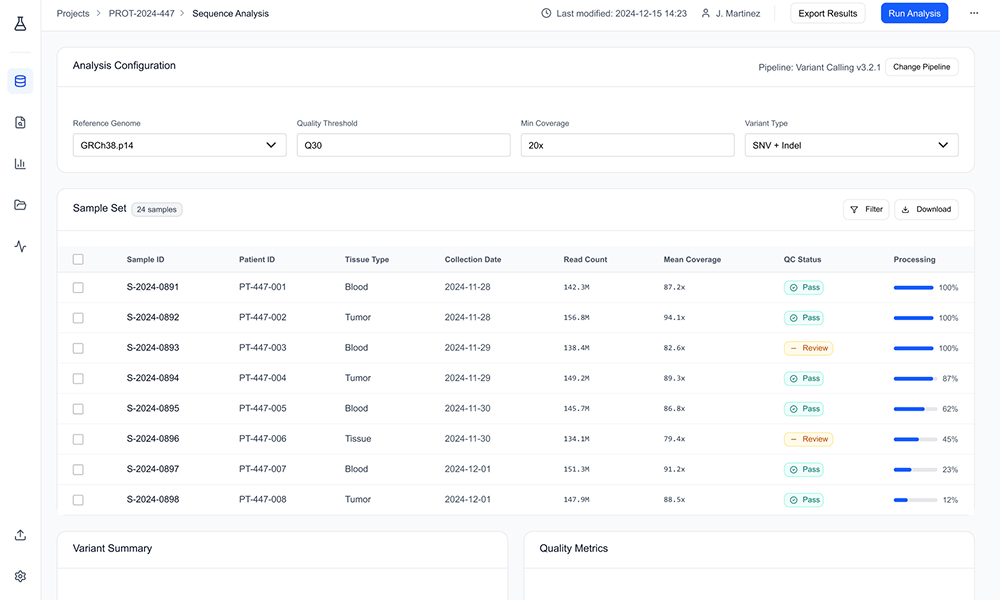
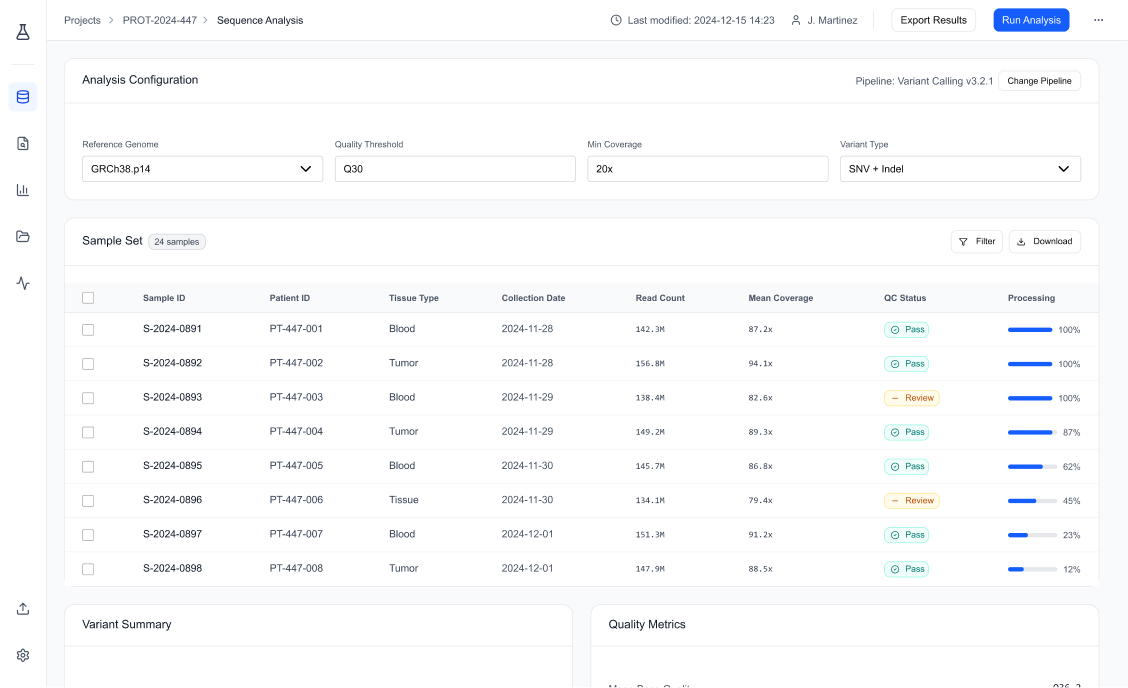
A complex internal tool used by research teams to process genomic datasets. The challenge wasn’t visual; it was the workflow itself. Scientists were losing time and making avoidable mistakes because the process was scattered, unclear, and mentally heavy

Overview
This project was about redesigning the full data analysis workflow, from file upload to setting parameters to final execution. The goal was to reduce friction, cut errors, and bring everything into one clean, guided flow

My Role
UX workflow designer, evaluation, journey mapping, interaction design, and defining the specialized components used in the final build
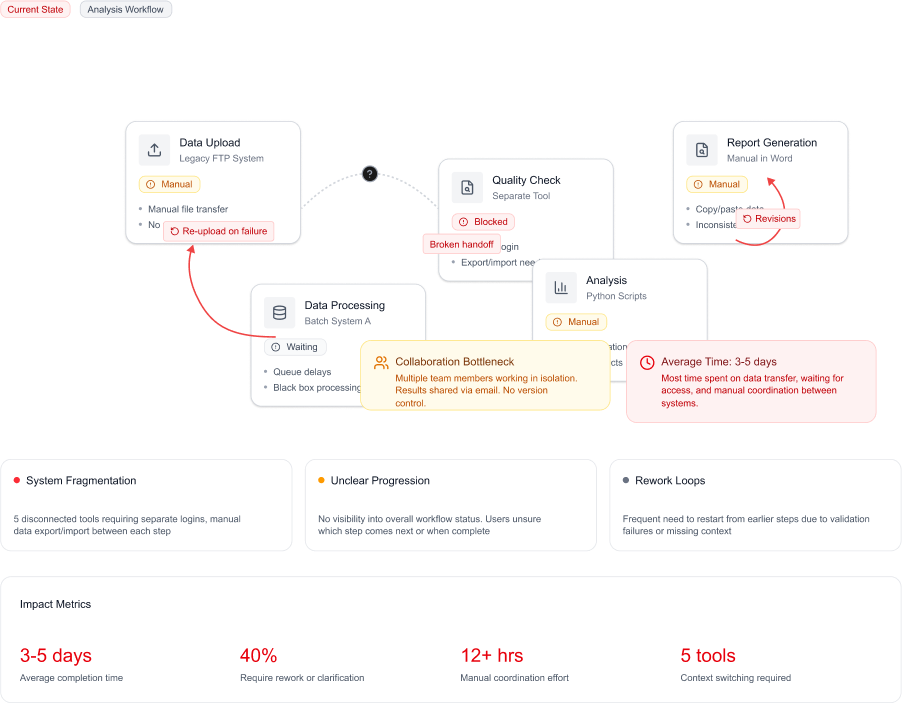
The Problem
The aim was simple:
Turn a scattered workflow into a clear, linear guided experience
I mapped the full process, analyzed error patterns, and looked at how scientists expected the tool to behave. The strategy focused on reducing cognitive load and giving real-time feedback at each step
- Keep everything in one place
- Always show progress
- Validate early, not at the end
- Build specialized components for expert users
- Let defaults do the heavy lifting wherever possible
What I Did
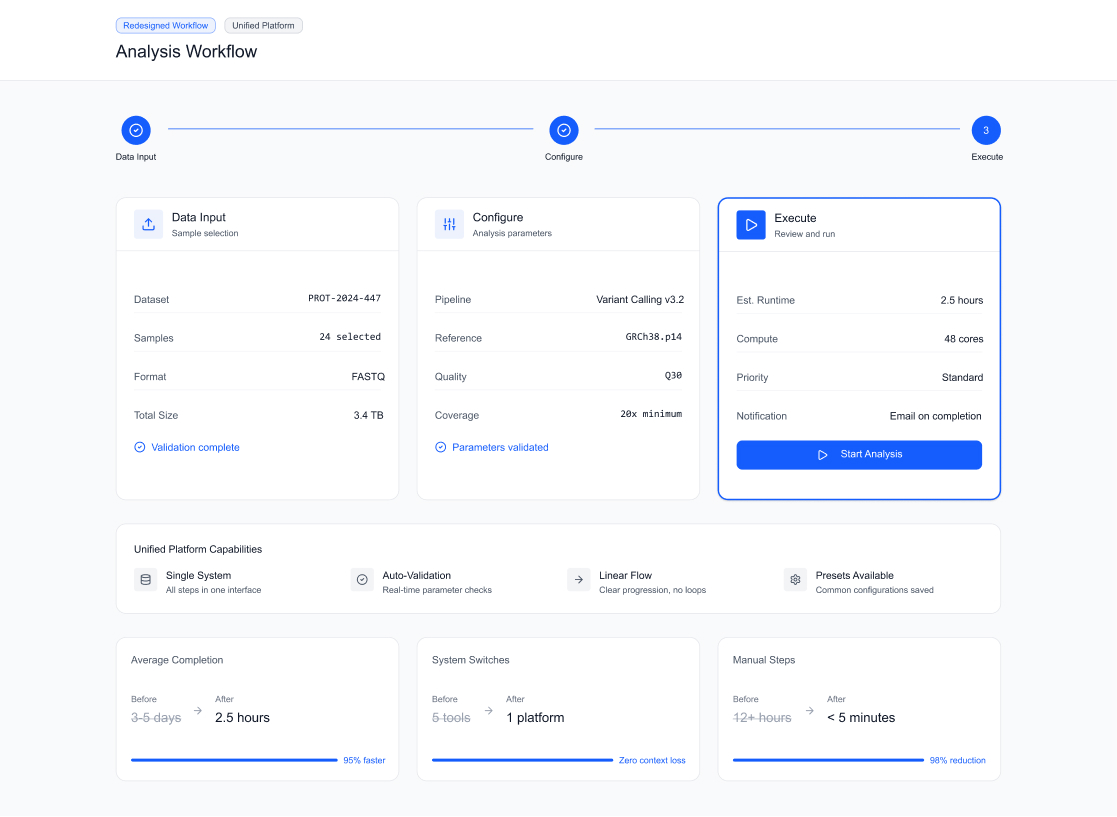
Unified Workflow Structure
- I replaced the five-page workflow with a single, persistent 3-step guided flow anchored to the left
- Users could see exactly where they were, what they did, and what’s next, no more jumping around
Stepper Component
Designed a clear, vertical stepper that:
- Shows the full journey at a glance
- Stays visible while users work
- Lets them go back without losing context
This alone removed a lot of hesitation and confusion
File Input + Real-Time Validation
Before: you’d upload a file and only know if it was invalid at the final execution step
After: I built a File Validation Widget that checks:
- Format
- Integrity
- Compatibility
- Size
This eliminated more than half of the final-stage errors
Smarter Parameter Configuration
I reviewed how scientists usually handle parameters and redesigned the whole section:
- Grouped related settings into clean, expandable sections
- Added smart defaults based on common analysis types
- Used inline hints to explain complex terms directly in context
- Hid advanced options but made them easy to access
This made the setup phase clearer, faster, and more forgiving
The Solution
No scattered interaction, no breaks in flow, no hidden errors.
Just a clean, guided journey that matches how researchers actually think about the process.
- Data Input
- Parameter Configuration
- Review & Execute
Impact & Results
The new workflow was rolled out and tested against the old version across multiple teams
| Metric | Before | After | Change |
|---|---|---|---|
| Task Completion Time | 10.5 min | 4.2 min | 60% Faster |
| Workflow Errors | 3.5 | 0.8 | –77% |
| First-Time User Success | 45% | 85% | +40 pts |
| Process Abandonment | 12% | 3% | –75% |
The new workflow was rolled out and tested against the old version across multiple teams
Got a similar problem?
Let’s talk